In a world where Hollywood blockbusters reign supreme, it’s hard to believe that a tiny device in your pocket can unleash a cinematic masterpiece. But the truth is, filming a movie on an iPhone isn’t just possible—it’s downright fun! With the right tips and a sprinkle of creativity, anyone can transform their everyday moments into a gripping story that rivals the latest summer blockbuster.
Understanding the Basics of Filming
Filming with an iPhone requires an understanding of foundational techniques. Mastering these principles can elevate the quality of any project significantly.
Importance of Pre-Production Planning
Planning ahead streamlines the filming process and enhances creativity. Establishing a clear script provides direction. Creating a shot list helps in organizing scenes efficiently. Scheduling filming sessions ensures actors and crew stay coordinated. Preparing necessary equipment in advance assists in minimizing delays. Reviewing potential challenges creates a plan for overcoming obstacles smoothly.
Choosing the Right Location
Selecting an ideal filming location impacts the film’s overall quality. An engaging environment complements the storyline. Consider natural lighting when scouting locations, as it enhances visual appeal. Outdoor settings often provide versatile backdrops, allowing flexibility in scenes. Accessibility for cast and crew remains essential for a smooth shoot. Evaluate potential noise disturbances that could interfere with audio quality.
Essential Equipment for Your iPhone Movie
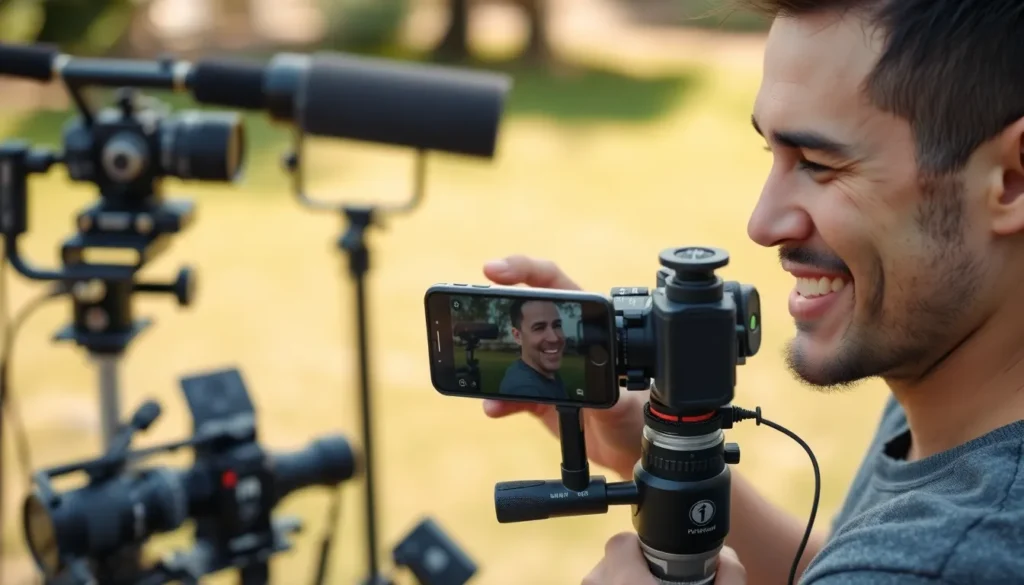
Creating a film with an iPhone requires essential gear to enhance production quality. Gathering the right accessories and apps makes a significant difference.
Must-Have Accessories
A tripod stabilizes shots, reducing unwanted movement. An external microphone captures clear audio, improving sound quality dramatically. Lighting kits brighten scenes, enhancing visual appeal. Lens attachments offer expanded capabilities, such as wide-angle and macro shots. Using a stabilizer or gimbal helps achieve smooth, professional-looking movements.
Recommended Apps for Filming
Filmmaking apps simplify the process, assisting in various stages. FiLMiC Pro provides advanced control over settings like focus and exposure. iMovie offers straightforward editing tools for seamless post-production. Adobe Premiere Rush combines editing flexibility with mobile usability. LumaFusion stands out for its multi-track editing capabilities and professional features. Reflecting on app functionalities streamlines the workflow and enriches the filming experience.
Cinematic Techniques for iPhone Filming
Filmmaking on an iPhone involves understanding essential techniques that elevate visual storytelling. Mastering composition, framing, and lighting contributes significantly to the overall quality of the film.
Composition and Framing
Create visual interest by applying the rule of thirds. Position key elements along the gridlines or at their intersections. Utilize leading lines to direct viewers’ eyes toward focal points within the scene. Experimenting with angles also enhances perspective; shooting from high or low angles adds depth. Incorporate foreground elements to create layers, which enriches the frame. Always keep the background in mind; a clutter-free backdrop prevents distractions. Adjusting focus allows for emphasis on subjects while blurring out less important elements. Adopting these tips leads to more compelling and visually striking shots.
Lighting Tips for iPhone Filming
Natural light serves as the best ally for iPhone filmmakers. Shooting during golden hour, just after sunrise or before sunset, offers soft, flattering light. For indoor scenes, position subjects near windows to maximize available sunlight. Using reflectors can bounce light onto subjects, reducing harsh shadows. Avoid filming in direct sunlight; instead, seek shaded areas for even lighting. Three-point lighting is effective for well-lit subjects; it utilizes key, fill, and back lights. Explore LED light panels for consistent brightness during darker scenes. Prioritizing good lighting enhances mood and atmosphere while showcasing subjects effectively.
Editing Your iPhone Movie
Editing shapes the final vision of an iPhone movie. Mastering editing techniques elevates films from basic recordings to polished projects.
Editing Software Options
Numerous editing software choices exist for iPhone filmmakers. iMovie offers intuitive features for simple editing tasks. Adobe Premiere Rush provides flexibility for editing projects on the go. LumaFusion caters to users seeking professional-grade capabilities with multi-track editing and advanced features. FiLMiC Pro also includes basic editing functions, making it a comprehensive solution. Each option supports a range of creative possibilities, so filmmakers can select based on their unique needs and skill levels.
Tips for a Professional Finish
Focus on a few key practices for a polished look. Use transitions effectively, avoiding excessive effects that can distract viewers. Maintain a consistent color grade throughout the film to create visual cohesion. Incorporate sound design and music for an immersive experience; balanced audio enhances engagement. Trim excess footage to keep the narrative tight, ensuring each scene serves a purpose. Lastly, export at the highest resolution available to preserve video quality during sharing or playback. Following these tips will refine the overall quality of an iPhone movie, making it more compelling to audiences.
Distribution and Sharing
Distributing and sharing an iPhone film expands its reach and impact. Selecting the right platforms plays a crucial role in connecting with viewers.
Platforms for Sharing Your Film
YouTube serves as the largest video-sharing platform, allowing filmmakers to reach a global audience. Vimeo offers a more professional environment for showcasing artistic films. Social media networks like Instagram and Facebook help engage with specific communities via short clips and trailers. TikTok allows creatives to share highlights, capitalizing on viral trends. Streaming services like Amazon Prime Video provide options for filmmakers seeking monetization opportunities. Each platform has unique features that cater to different audiences.
Building an Audience
Engagement is critical for audience building. Filmmakers can promote their projects through consistent social media interaction, sharing behind-the-scenes content and updates. Collaborating with influencers expands visibility and attracts new viewers. Participating in online film festivals and local screenings showcases work and connects with audiences. Email newsletters provide direct communication, keeping followers informed about releases and upcoming projects. Gathering viewer feedback through comments and surveys fosters community and encourages loyalty, enhancing long-term audience relationships. Each of these strategies contributes to creating a solid foundation for future projects.
Filming a movie on an iPhone opens up a world of creativity and opportunity. With the right techniques and tools anyone can transform their vision into a captivating film. By focusing on pre-production planning and mastering essential filming techniques filmmakers can elevate their projects significantly.
Choosing the right equipment and utilizing effective editing software further enhances the quality of the final product. Sharing the finished film on various platforms not only broadens its reach but also builds a community around the work. Embracing the iPhone as a filmmaking tool empowers creators to tell their stories in innovative ways.